Learn how electrical contractors can connect systems, reduce manual admin and automate enquiry to estimate with one tailored operating platform the business owns.
Electrical contractors job booking automation software: What Breaks Daily
Electrical contractors job booking automation software should connect bookings, people, communications and reporting in one reliable operating flow.
In the busy world of electrical contracting, daily operations hinge on seamless coordination between enquiries, estimates, scheduling, engineer dispatch, and certification. Yet firms often find themselves firefighting issues such as missed calls, delayed follow-ups, double bookings, lost test certificates, and inconsistent job records. These breakdowns happen because manual processes fail to keep pace with complex, variable job demands and fast customer response expectations.
Many electrical contractors rely on a bundle of disconnected software tools, paper forms, and emails. This fragmented system creates gaps in communication, duplications, data errors, and delays. The consequences are missed revenue, unhappy clients, and overworked staff. Every day sees critical handoffs happen off the record and important operational data scattered across systems or lost altogether.
A better way is needed—one that fits how electrical businesses actually work, retains the value of existing systems, and automates the job booking process from enquiry to estimate and beyond. This guide outlines eight practical automation steps within one owned, connected operating system to bring control, clarity, and efficiency.

Manual Work Impact on Electrical Contractor Performance
Manual administration costs electrical contracting businesses time and money while introducing risks that weaken operational control:
- Time lost managing enquiries and estimates manually — Re-keying data, relying on memory or notes, chasing paperwork, and creating spreadsheets.
- Frequent errors in job scheduling and engineer dispatch — Overlaps, missed jobs, incorrect visit details, and confusion over priority.
- Compliance gaps with site safety records and competency checks — Missed documentation or approval steps can halt projects or incur penalties.
- Cashflow friction caused by delays in job completion and certificate generation — Late invoicing reduces working capital and business predictability.
- Overpaying for multiple software subscriptions — Unconnected SaaS tools duplicate functions with no shared data, forcing double input and costly licences.
Automation can transform these challenges into strengths. Yet it must be done carefully to preserve human control over critical decisions and maintain compliance safeguards.

Capture and Automate Job Enquiries Seamlessly
Typical Delays in Current Enquiry Handling
Job enquiries often land in voicemail, email inboxes, or paper forms before being entered manually into scheduling or CRM tools. Missed leads and delayed responses lose revenue and damage reputation.
Connected Enquiry Workflow for Immediate Response
A tailored enquiry capture record links incoming calls, emails or web forms directly to a unified system owned by the business. Automated workflows alert staff for immediate follow-up, ensure no enquiry slips through and track progress toward estimate generation.
Integrating with Existing Phone, Email and Website
- Use existing VOIP or phone systems to feed enquiry data into the owned workspace.
- Connect web enquiry forms to the central enquiry record.
- Integrate email enquiries with automatic tagging and assignment.
Example: Missed-Call Recovery Workflow
A missed call triggers an instant SMS or email alert to the admin team with customer details and requested job type. Staff follow up within minutes, improving lead capture rates.
Controls and Data Governance
- Role-based access limits enquiry data viewing to authorised staff.
- Automated status updates track enquiry lifecycle for audit.
- Compliance with the ICO’s guidelines on personal data storage and processing is ensured.

Streamline Quotation and Estimate Preparation
Challenges Managing Estimates Manually
Estimates often take hours of spreadsheet work, manual price lookups, and document formatting. Errors in pricing or scope lead to lost profits or disputes.
Integrated Workflow from Enquiry to Quote
Once an enquiry qualifies, the owned system auto-populates client and job details into an estimate module. Template-driven documents pull from product and labour rate databases, shortening turnaround.
Useful Integrations with Pricing and Compliance Data
- Import latest supplier prices automatically.
- Link competency and site safety checks to ensure estimate scope suits engineer qualifications.
- Integrate customer approval requests within the workflow.
Practical Estimate Example
An estimate for rewiring a domestic property is created automatically from enquiry data, with safety considerations matched to engineer skills. Customer receives a PDF via automated email and confirms approval online.
Controls and Review Points
- Human review required for estimates above configured financial thresholds.
- Version history records applied changes.
- Customer approval timestamps track compliance.

Automate Job Scheduling and Engineer Dispatch
Complexity and Errors in Managing Schedules
Manual scheduling leads to double bookings, unbalanced workloads and overlooked priorities. Dispatching unsuitable engineers creates rework and safety risks.
Connected Rotas and Job Boards
A central job booking log with calendar integration matches engineer availability, skills and certifications to each job. Automated shift allocation rules balance workload and minimise travel time.
Integration Opportunities with Payroll and Mobile Apps
- Mobile engineer apps display assigned jobs and navigation.
- Integration with payroll calculates hours worked.
- Reminders and alerts for job updates are automatically sent.
Concrete Dispatch Automation Example
A school lighting job triggers a dispatch to the nearest qualified engineer whose rota shows availability. The job pack with customer and site info is sent to the engineer's app instantly.
Controls for Safe Scheduling
- Mandatory site safety checks prior to confirmation.
- Competency certificates verified before engineer allocation.
- Exceptions escalated to supervisors for approval.

Digitise and Standardise Site Evidence Collection
Risks with Paper-Based Records
Test certificates, photos and job sign-offs on paper are easily lost or delayed, blocking invoicing and certification compliance.
Workflow-Driven Mobile Evidence Capture
Engineers upload site photos, test results and certificates directly through the mobile workspace app synced to the job record. This instantly updates the job’s progress and compliance status.
Useful Connections to Cloud Storage and Document Repositories
- Secure cloud storage for certificate backups.
- Integration with document management systems.
- Automated alerts for missing or expired certifications.
Example of Site Evidence Workflow
After completion of an installation, an engineer uploads test certificates and photos. The system flags any missing documents and sends reminders until the job pack is complete.
Controls to Support Accuracy
- Mandatory checklist items must be completed before job close.
- Version control of documents with revision notes.
- Role restrictions on document edits.

Generate Job Packs and Certificates Automatically
Administrative Burden in Document Assembly
Staff spend hours collating certificates, risk assessments, and job notes before submission to clients or regulators.
Workflow for Auto-Generated Job Packs
The system compiles job packs combining estimates, site evidence, risk forms and test certificates as soon as an engineer signs off a job. Completed packs are archived and emailed or printed.
Specialist Integration with Payment and Communication Services
- Integration with payment gateways accelerates deposits or final payments upon job approval.
- Automated email dispatch for post-job surveys or customer updates.
Example Job Pack Automation Scenario
Upon job completion, a full pack including customer approval form and test certificate is sent automatically to the client along with an invoice request.
Controls and Approval Mechanisms
- Supervisor approval required for job pack dispatch with exception handling.
- Audit trail for certificate issuance respecting site safety regulations.
- Automatic expiry checks on competency records.

Manage Follow-Ups and Quote Reminders
Common Follow-Up Failures
Manual reminders result in missed quote approvals and lost jobs. Customers forget or lose interest without timely communication.
Automated Follow-Up Workflow
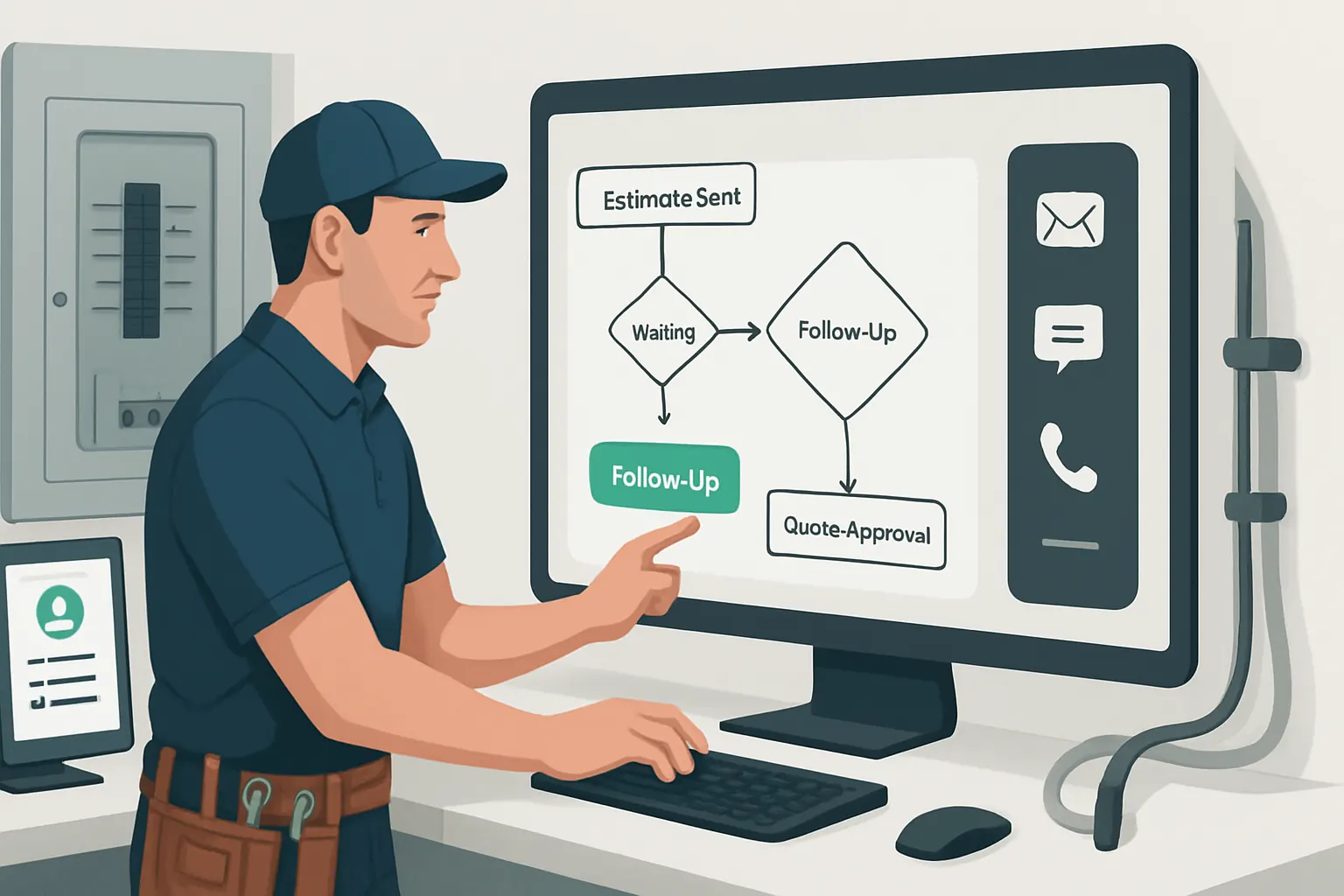
Based on configurable rules, the system triggers automated follow-up emails, texts or calls at set intervals after sending estimates or completing jobs.
Integration with CRM and Telephony Tools
- CRM data feeds for personalised communication.
- Telephony integration for clickable call-back scheduling.
- Logging of communication history for compliance.
Follow-Up Use Case
Two days after an estimate dispatch, the system sends a gentle reminder prompting the customer to confirm or request changes, reducing quote abandonment.
Controls for Communication Consent
- Explicit customer opt-in tracking for SMS and email.
- Opt-out links included in all messages.
- Compliance monitoring with ICO guidance.
Consolidate Operational Data into One Reliable Record
Fragmented Data Challenges
Keeping operational data across spreadsheets, email, scheduling and mobile apps causes analysis paralysis and inconsistent reporting.
Unified Data Repository and Dashboards
All job booking, scheduling, certification, and financial data is stored in a single owned record. Interactive dashboards give management real-time visibility on KPIs, pending approvals and job status.
Useful Reporting and AI Decision Support
- AI summarises large volumes of job data for priority flags.
- Predictive alerts identify schedule bottlenecks or missed revenue.
- Deterministic rules enforce key safety or compliance gates.
Example Data Insights Provided
A dashboard highlights jobs pending certification for over five days and flags engineers with soon-to-expire competency documents for proactive action.
Controls for Data Integrity and Access
- Role-specific dashboard views limit sensitive data exposure.
- Automated data validation rules prevent input errors.
- Full audit logs of record changes.

Apply AI Selectively to Support Variable Tasks
Pitfalls in Over-Automation
AI should complement human judgement, not replace it, especially in safety, financial or compliance decisions.
Targeted AI Use Cases
- Classification of enquiry urgency based on text and voice data.
- Summarisation of long job notes for quick supervisor review.
- Prioritisation of job queues according to rules and deadlines.
- Decision support suggesting engineer suitability but requiring human approval.
Integration with Deterministic Business Rules
AI recommendations run alongside fixed rule engines that manage routine predictable tasks deterministically.
Real-World AI Example
An AI assistant analyses incoming messages to flag urgent safety issues, prompting immediate dispatch of qualified engineers.
Controls Ensuring Accountability
- Human override required on all AI-generated job decisions.
- Transparent AI model outputs shown on dashboards.
- Compliance with ICO AI and data ethics guidelines.

90-Day Rollout Plan for Automation Implementation
Weeks 1–2: Foundation Setup and Quick Wins
- Map current enquiry and estimate workflows.
- Deploy enquiry capture record with immediate follow-up automation.
- Connect phone and email systems to the owned workspace.
- Train staff on enquiry and estimate modules.
Weeks 3–6: Scheduling and Evidence Digitisation
- Implement job scheduling and engineer dispatch automation.
- Roll out mobile evidence capture apps for engineers.
- Integrate cloud document repositories for certificates.
- Test and adjust dispatch rules and access controls.
Weeks 7–12: Follow-Ups, Reporting and AI Integration
- Automate quote and job follow-up reminders.
- Enable consolidated dashboards for management.
- Introduce limited AI tasks for enquiry classification and prioritisation.
- Review all workflows and adjust controls as needed.

How AI Implementation UK Can Deliver Your Connected Automation Solution
At AI Implementation UK, we specialise in crafting one connected operating system tailored to how your electrical contracting business works. Our approach helps you:
- Keep your valuable existing systems like finance or CRM while connecting them securely with the new owned booking and scheduling workspace.
- Replace avoidable multiple subscriptions with owned modules built around your processes, saving costs and reducing fragmentation.
- Bring operational data together into one reliable record and customised dashboards that provide clear visibility and control.
- Integrate AI selectively—we deploy artificial intelligence only where it supports variable tasks such as classification, summarisation, prioritisation, and decision support, while deterministic rules manage predictable workflows.
- Retain human oversight for critical decisions—safety, approvals, compliance—within a secure, auditable system.
Our team follows strong privacy and cybersecurity principles based on ICO and NCSC best practices. We also advise on legal and compliance controls preserving your obligations under site safety, data protection, and financial regulations. For seamless payment or communication services, we help integrate specialist external systems that remain part of the one connected operation.
If you want practical, effective electrical contractors job booking automation software with a single owned operating environment, begin your journey by exploring our platform planning service. Learn how we can streamline your enquiry-to-estimate workflows and beyond, transforming manual administrative burdens into operational agility.
For more insights on automating processes safely and effectively, see our resources on process automation and RPA and preparing your data infrastructure. Our case studies showcase real electrical contracting businesses we have helped optimise.
References
- ICO: Data protection and privacy overview — ICO data protection guidance
- NCSC: Cyber security principles — https://ncsc.gov.uk
- Prologica: Workflow Automation Guide for Electrical Contractors — https://www.prologica.ai/roles/electrical-contractors/workflow-automation-guide
- Digital by Default: Electricians AI Automation — https://www.digitalbydefault.co.uk/industries/electricians
To turn these priorities into one coherent system, map the platform your business needs or explore our workflow automation approach.